Overview
What Is DIY Sangha Sub Pages?
DIY Sangha Sub Pages is a ready-built SharePoint sub-page solution that gives your organisation a polished, consistent set of department and resource pages in a single click. Whether you're creating a Departments hub, an Employee Resources centre, or a Policies & Procedures page, this product deploys a fully structured, professionally designed page layout — complete with web parts — without any coding.
Who Is This For?
| Audience | How They Use It |
|---|---|
| Site Owners / Admins | Deploy sub-pages using the Configure Site Sub Pages wizard, add web parts to pages, and manage all settings |
| Department Managers | Update banner content, manage goals, and maintain team member lists |
| Content Authors | Publish newsletter editions and manage quick links |
| End Users | Browse news, access quick links, download documents, and submit feedback |
What's Included?
| # | Web Part | Description |
|---|---|---|
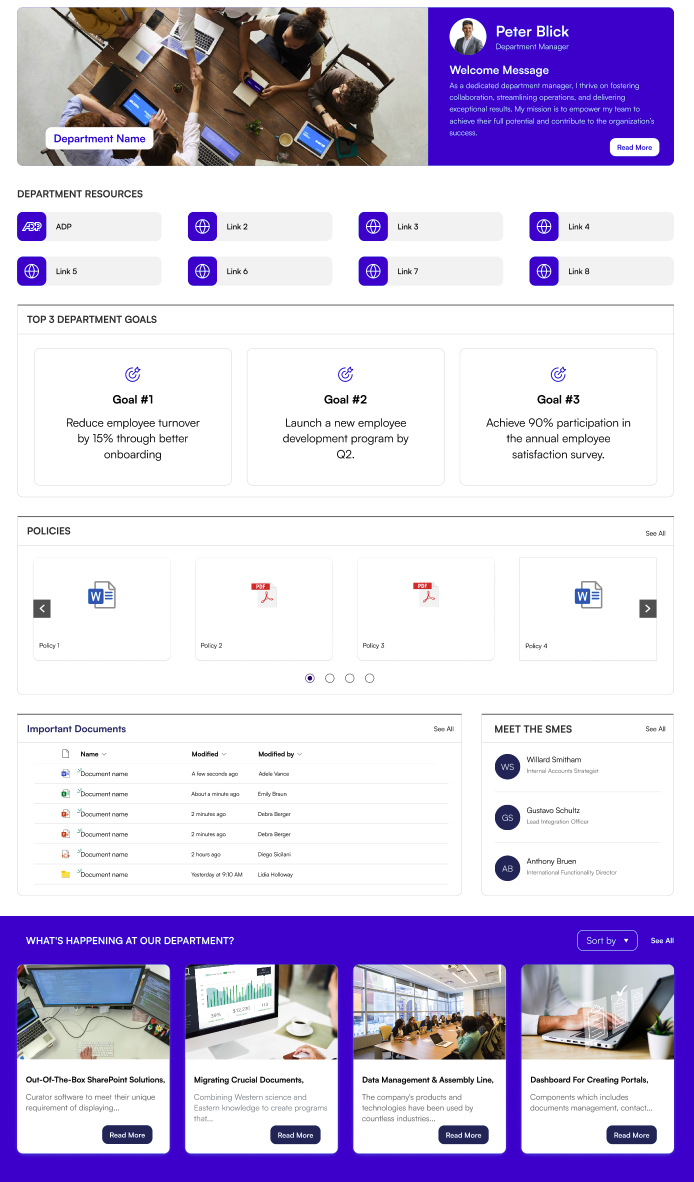
| 1 | Welcome Banner | Hero banner at the top of each sub-page with a background image, department name, and optional announcement strip |
| 2 | Featured News | Aggregates news posts from selected SharePoint sites with multiple display layouts |
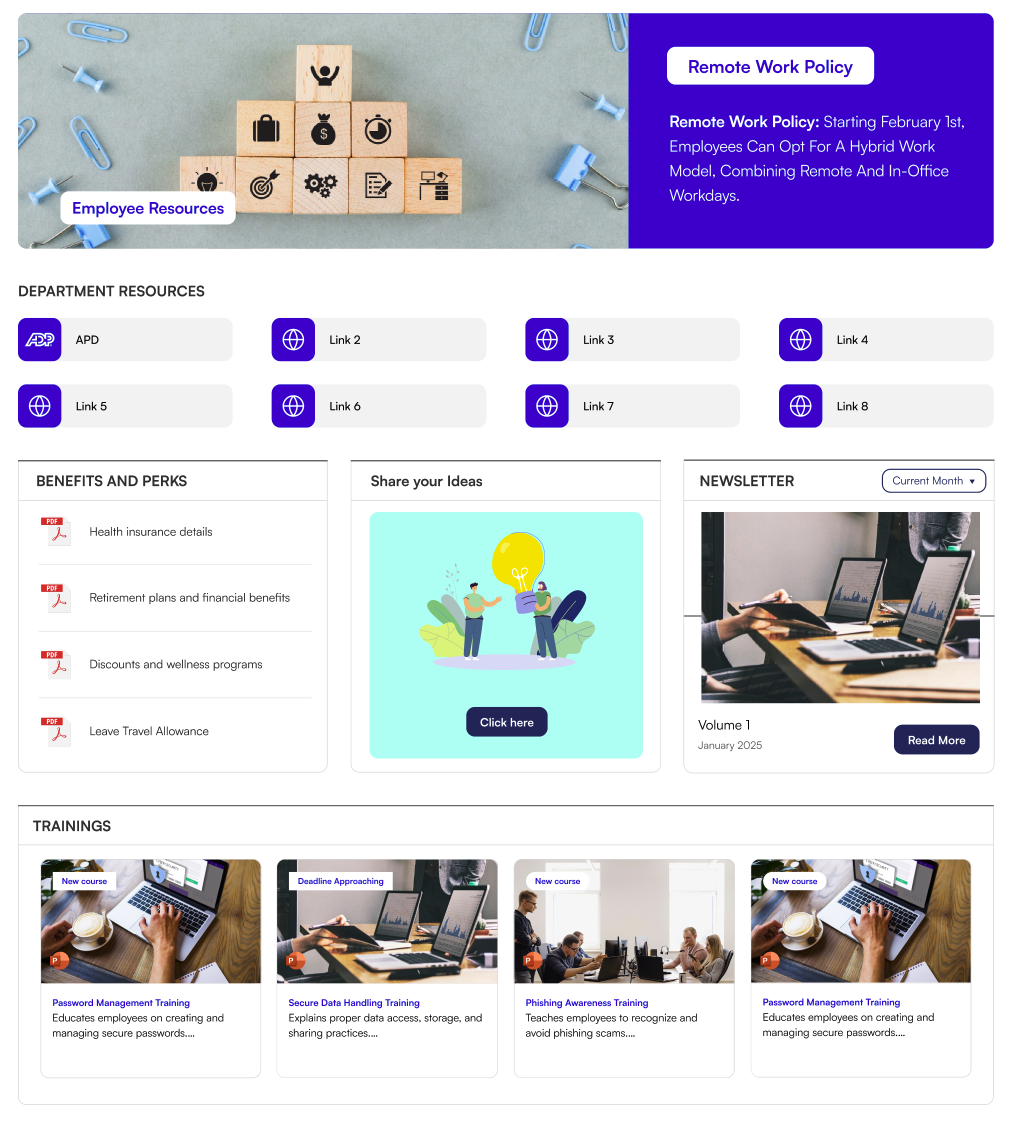
| 3 | Common Tools | Quick-access link tiles with icons for key tools and resources |
| 4 | Document Contents | Surfaces documents and policies from a SharePoint library in Grid, List, or Filmstrip layouts |
| 5 | Feedback | Call-to-action banner inviting employees to share ideas and feedback |
| 6 | Goals | Displays department or team goals as icon cards with titles and descriptions |
| 7 | Newsletter | Showcases newsletter editions from a library with cover images and a month filter |
| 8 | The Team | Displays team or SME member profiles with photos, roles, and an optional carousel |
| 9 | Configure Site Sub Pages | One-click wizard that provisions and configures sub-page structures for your site |
Key Highlights
- One-Click Deployment — Launch fully structured sub-pages with predefined layouts using the Configure Site Sub Pages wizard.
- Dual Layout System — Every web part supports two layouts: Standard (clean borders) and Accent Bar (bold top bar).
- Consistent Branding — All web parts share the site's SharePoint theme colours automatically.
- No Coding Required — All settings are managed through the web part settings panel — no developer involved.
- Document Library Integration — Document Contents connects directly to any library, with folder filtering and category support.
- Newsletter Publishing — Newsletter pulls editions from a library with automatic carousel and month navigation.
- Team Profiles — The Team web part builds a curated member directory with custom names, roles, and photos.
Pre-Built Sub-Pages
When you run the Configure Site Sub Pages wizard, it automatically provisions the following pages:
| Page | Purpose |
|---|---|
| Departments Page | A hub for department-specific content, goals, news, and contacts |
| Employee Resources Page | A central resource centre for HR policies, forms, and announcements |
| Policies & Procedures Page | A library-focused page for browsing and downloading policy documents |
Supported Environments
- SharePoint Online (Microsoft 365)
- Microsoft Teams (as a tab)
- Microsoft 365 (Outlook, Office)
Screenshots
📸 View Overview Screenshots
Version
Current Version: 1.0.0.0 Developed by: SharePoint Designs — www.sharepointdesigns.com