Overview
What Is DIY Sangha Document Center?
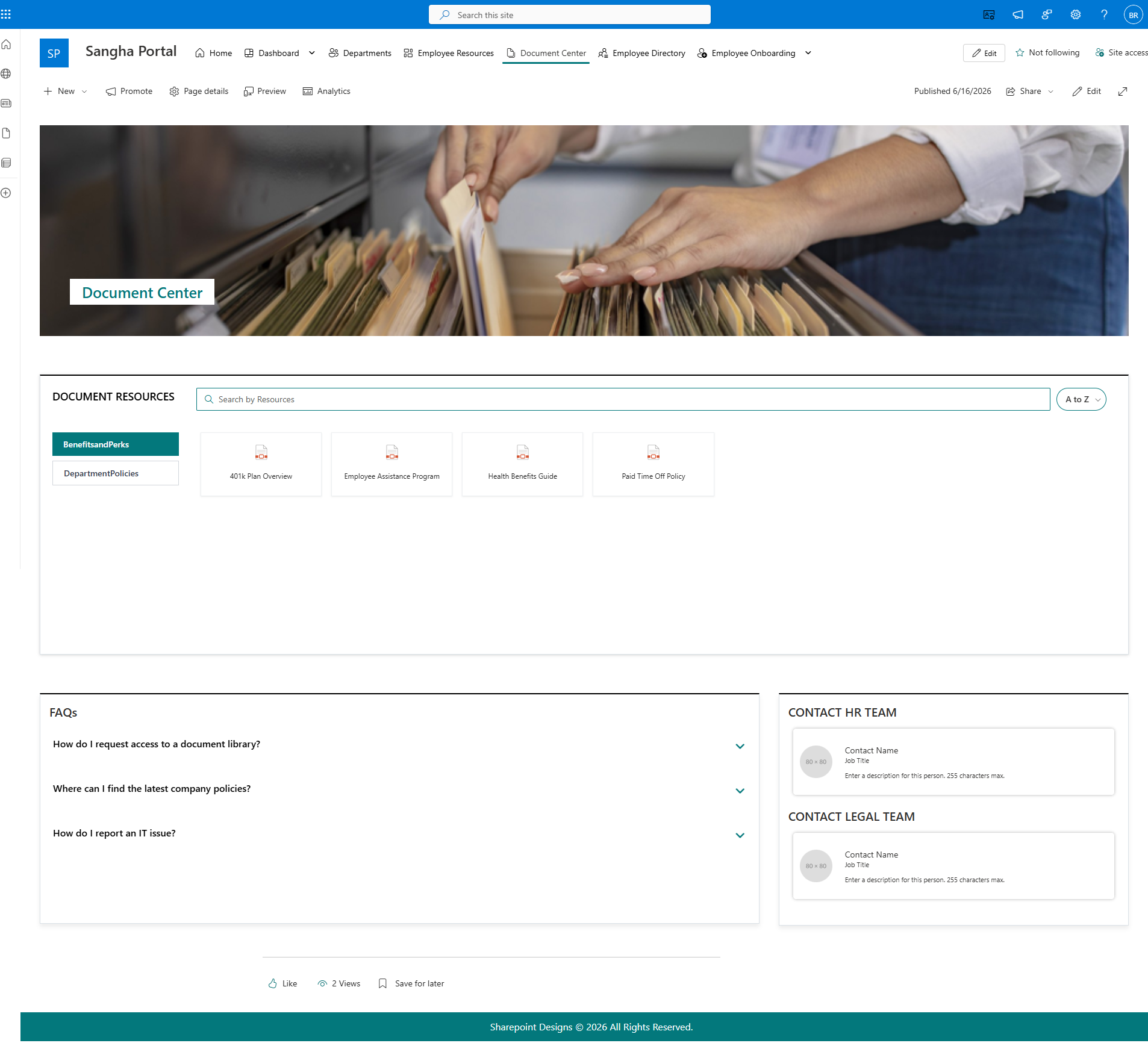
DIY Sangha Document Center is a ready-built SharePoint page solution that gives your organisation a polished, searchable document hub in minutes. It combines a branded hero banner, a powerful document library viewer, an FAQ accordion, and a contacts section - everything employees need to find policies, download forms, and get help, all in one place.
Who Is This For?
| Audience | How They Use It |
|---|---|
| Site Owners / Admins | Configure the banner, connect document libraries, manage FAQs, and set contact details |
| Department Managers | Maintain FAQ content and update contact information for their area |
| Content Authors | Upload documents to connected libraries and keep FAQ answers current |
| End Users | Browse and download documents, read FAQs, and contact the right person |
What's Included?
| # | Web Part | Description |
|---|---|---|
| 1 | Document Welcome Banner | Hero banner with a background image and department/page title |
| 2 | Document Contents | Surfaces documents from one or more SharePoint libraries in Grid view |
| 3 | FAQs | Expandable accordion of frequently asked questions, sourced from a SharePoint list or managed directly |
| 4 | Contact | Displays one or two key contacts (or a full contact collection) with name, role, and description |
Key Highlights
- Flexible Document Source - Connect to the current site's documents, a specific library, or multiple SharePoint sites at once.
- Category Filtering - Automatically detects choice columns in your document library so employees can filter by document type or category.
- Dual FAQ Modes - FAQs can pull directly from a SharePoint list or be managed entirely within the web part settings - no list required.
- Dual Layout System - Every web part supports Standard and Accent Bar layouts.
- Consistent Branding - All web parts use the site's SharePoint theme colours automatically.
- Contact Flexibility - Show two named contacts side by side, or build a full multi-entry contact collection.
- No Coding Required - All settings are managed through the web part settings panel.
Supported Environments
- SharePoint Online (Microsoft 365)
Screenshots
Version
Current Version: 1.0.1.0 Developed by: SharePoint Designs — www.sharepointdesigns.com