Calendar 01
Overview
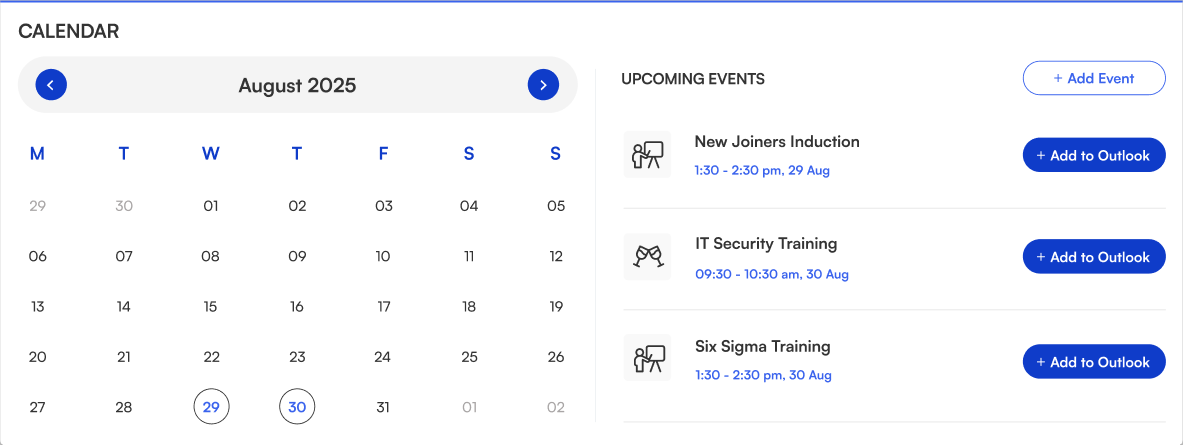
The calendar displays all upcoming corporate events with dates and timings. Employees can easily view event details and add them directly to Outlook for quick scheduling.
Configuration
Header settings
📸 View Header Settings Screenshots
| Name | Purpose | Example / Options |
|---|---|---|
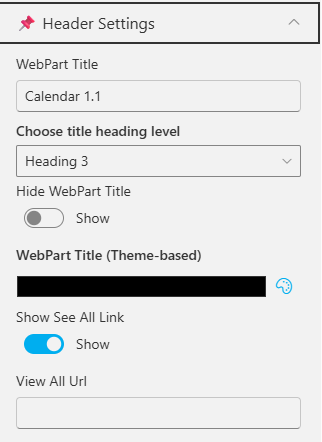
| WebPart Title | Specify a title for the Calendar Web Part. | “Calendar 1.1” |
| Choose title heading level | Select the heading level (H1–H6) for the WebPart title. | Heading 3 |
| Hide WebPart Title | Toggle to show or hide the WebPart title. | Show / Hide |
| WebPart Title (Theme-based) | Set a theme-based title color or style for the WebPart. | Color Picker |
| Show “See All” Link | Display or hide the “See All” link for calendar navigation. | Show / Hide |
| View All URL | Provide a URL for the “View All” button to redirect users. | /sites/events/all-events |
General settings
📸 View General Settings Screenshots
| Name | Purpose | Example / Options |
|---|---|---|
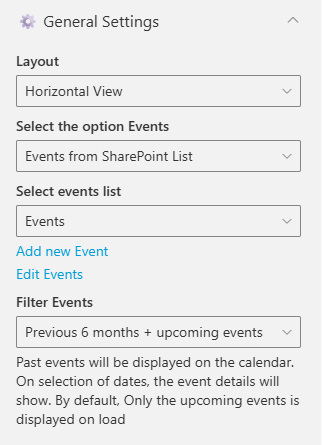
| Layout | Choose how events are displayed. | Horizontal View / Vertical View |
| Select the option Events | Select the event source for the Calendar. [Events from SharePoint List, Events from Shared Mailbox, Events from Current User Outlook, Event from Group Mailbox] | Events from SharePoint List |
| Select events list | Choose the SharePoint list from which events will be displayed. | Dropdown of event lists |
| Filter Events | Control which past and upcoming events appear. | “Previous 6 months + upcoming events” |
Appearance settings
📸 View Appearance Settings Screenshots
| Name | Purpose | Example / Options |
|---|---|---|
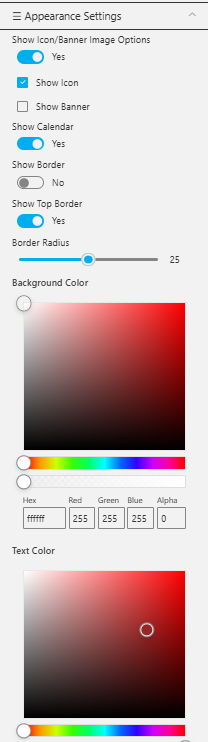
| Show Icon/Banner Options | Toggle to show or hide the icon/banner in the calendar header. | Yes / No |
| Show Icon | Display the calendar icon in the header. | Checkbox |
| Show Banner | Display a banner background behind the title. | Checkbox |
| Show Calendar | Toggle the visibility of the main calendar component. | Yes / No |
| Show Border | Display a border around the calendar component. | Yes / No |
| Show Top Border | Add a top border above the web part. | Yes / No |
| Border Radius | Adjust the roundness of calendar month corners. | Slider (e.g., 25) |
| Background Color | Set a background color for the calendar section. | Color Picker |
| Text Color | Choose a color for event titles and text. | Color Picker (Hex: #992525) |